AI Facebook Post Generator for Small Businesses

An AI Facebook post generator is a tool that writes a Facebook post for you from a one-line description of an offer, an event or an update. Tell BlinkPost what you want to say. It writes the Facebook post, adds hashtags and keywords, and creates a matching image sized for Facebook. Edit it, then publish or schedule it to your Facebook Page.

No sign-up needed. 5 free Facebook posts a day. Text only: sign up to add a matching image and schedule it to your Page.

Free plan includes 2 AI posts a month. No credit card required. Start free

What you get with every post

Post copy for Facebook

Room for a little more story than Instagram, with a clear call to action.

Hashtags and keywords

A short set of relevant hashtags and keywords with every post.

A matching image

A wide image sized for the Facebook feed. Choose HD Image or Fast Image.

Scores to compare drafts

An SEO score out of 100 and an engagement estimate out of 10. They're AI estimates, not guarantees.

Real AI Output

Real posts generated with BlinkPost

No mockups or placeholders. Here is what BlinkPost actually outputs from a one-line prompt: a complete post with a platform-tailored caption, relevant hashtags, and a high-resolution matching AI image.

Family-Owned PizzeriaFacebook Page Post

Prompt: “Wood-fired Margherita pizza special for family dinner night at Italian restaurant”
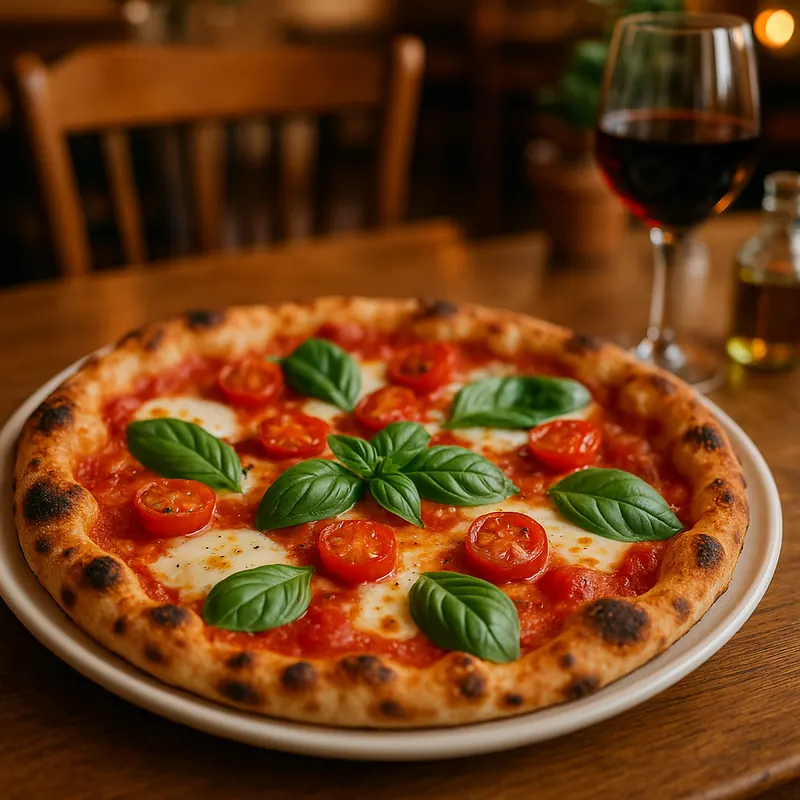
Freshly baked wood-fired Margherita pizza with melted mozzarella, fresh basil leaves, and blistered crust on a rustic restaurant table with a glass of red wine

Tuesday & Thursday is Family Pizza Night at Luigi's! 🍕 Every single pie is fired at 900 degrees in our imported Italian stone oven using 72-hour fermented dough, San Marzano tomato sauce, and whole-milk mozzarella delivered fresh every morning. Kids eat free with any two large specialty pizzas tonight. Dine in or order online for curbside pickup — click the link below to view tonight's specials!

#FamilyDinner#WoodFiredPizza#LocalEats#SupportLocal#NeighborhoodPizzeria
Generated with BlinkPost AI Ready to publish
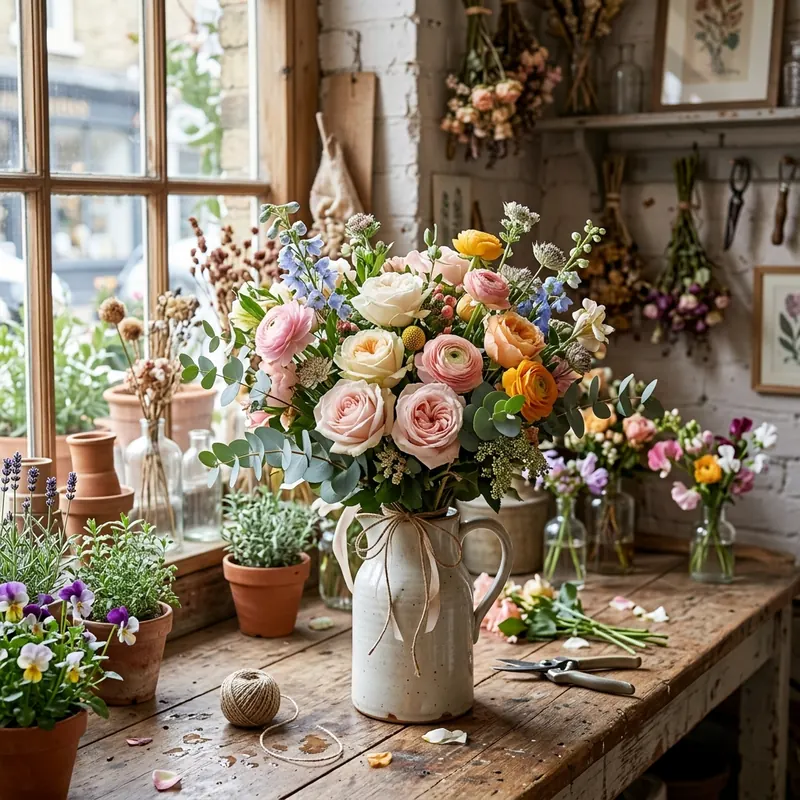
Local Floral BoutiqueFacebook Community Post

Prompt: “Seasonal spring flower bouquet arrival announcement for local floral shop”

Stunning hand-tied bouquet of fresh garden roses, ranunculus, and eucalyptus in a rustic pitcher vase on a wooden florist workbench

Bringing the best of the season indoors! 🌸 Our weekend farm-fresh harvest just arrived from growers in the valley. We have limited quantities of garden roses, pastel ranunculus, and sweet-smelling eucalyptus that will fill your whole home with the scent of spring. Stop by our downtown shop this Friday between 10am-6pm or order online for Saturday front-porch delivery across town.

#LocalFlorist#FreshFlowers#ShopLocal#SpringBlooms#FloralDesign
Generated with BlinkPost AI Ready to publish
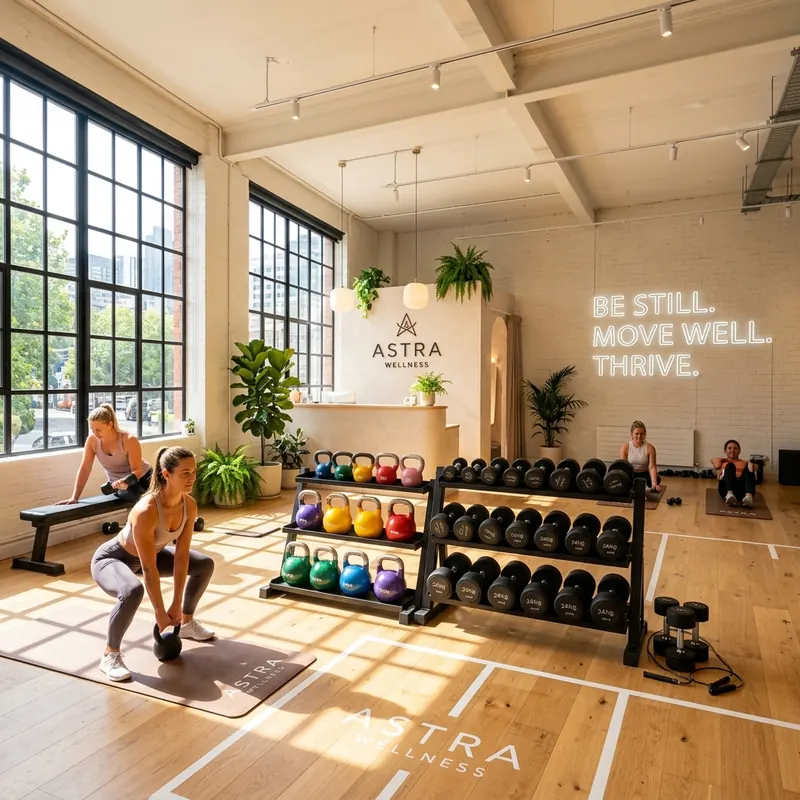
Boutique Fitness StudioFacebook Offer Post

Prompt: “Small group functional fitness strength training class promotion for community gym”

Bright sunlit boutique fitness gym interior with kettlebells, dumbbells, and clean wooden floors in an uplifting workout atmosphere

Fitness shouldn't feel intimidating. 💪 At Astra Wellness, our small group strength classes are designed for real people with busy schedules — not fitness influencers. Certified coaches who watch your form, workouts tailored to your fitness level, and a warm community that cheers you on from day one. New to the neighborhood? Your first 3-day class pass is 100% free. Click ‘Book Now’ to reserve your spot this week!

#CommunityFitness#StrengthTraining#FunctionalFitness#GymCommunity#HealthyLiving
Generated with BlinkPost AI Ready to publish

How it works

  1. 1

    Describe the post

    An offer, an update, an event. One line is enough to start.

  2. 2

    Choose tone and style

    Professional, casual, humorous, inspirational, educational, or promotional.

  3. 3

    Edit the draft

    Adjust the wording, add details only you know, or swap in your own photo.

  4. 4

    Publish or schedule

    Post to your connected Facebook Page now, or pick a date on the calendar.

What kind of Facebook posts can I create?

Anything a local business posts on its Page: promotions, new products, opening hours, event invites, customer stories, and community updates. Pick a style such as storytelling, a list, a question, or an announcement, and BlinkPost shapes the post around it.

Each post comes with an AI image in the right shape for the Facebook feed. You can use your own photo instead, or add several images to one post.

How is a Facebook post different from an Instagram post?

A Facebook post can carry more context. Readers on a business Page often want the details (the date, the price, how to book), so BlinkPost writes a fuller post with a clear next step. On Instagram it leads with a short hook and leans on hashtags. Generate the same idea for both and you get two different posts, not one pasted twice. Try the Instagram post generator to compare.

Can BlinkPost post to my Facebook Page?

Yes. Connect your Facebook Page, then publish immediately or schedule the post in the content calendar. BlinkPost publishes scheduled posts at the time you set and syncs likes, comments, shares, reach, and impressions every hour.

Facebook posts small businesses make with BlinkPost

  • A limited-time offer or discount
  • An event invitation with date and details
  • A customer story or thank-you
  • Holiday or seasonal opening hours
  • A new product, menu, or service
  • A community update or local news

Frequently asked questions

Is this Facebook post generator free?

Yes. The Free plan includes 2 AI-generated posts a month, each with copy, hashtags, and an image, with no credit card required. Pro is $19.99 a month for 30 posts.

Does it create images for Facebook posts?

Yes. Every post includes an AI-generated image sized for the Facebook feed. You can also use your own photos.

Can I schedule posts to my Facebook Page?

Yes. Connect your Facebook Page, choose a date and time, and BlinkPost publishes the post then.

Can I edit the post before it's published?

Yes. Every post is a draft until you publish or schedule it, so you can change any wording, hashtag, or image.

How do I create a Facebook post with AI?

Describe what the post is about in one line, such as an offer, an event or a new product, and pick a tone. BlinkPost writes the post and hashtags and makes a matching image. Read it, add any detail only you know, then publish or schedule it to your Facebook Page.

Which AI tool is best for creating Facebook posts?

It depends on what you need. Chat tools like ChatGPT write the text, and design tools like Canva make the graphic. BlinkPost does both in one step, the post and a matching image, and then schedules and publishes it to your Facebook Page.

Does it work for Facebook groups or personal profiles?

BlinkPost publishes to Facebook Pages. It doesn't post to groups or personal profiles.

Your next post, written, designed, and scheduled

Create a free account and generate your first post with its image.

Start free

No credit card required.