AI Instagram Post Generator for Small Businesses

An AI Instagram post generator is a tool that writes an Instagram caption and creates a matching image from a one-line description of your post. BlinkPost's generator writes the caption, adds hashtags and keywords, and creates a matching image sized for Instagram. Edit it, then schedule it to your Instagram Business account.

Generate a post free

Free plan includes 2 AI posts a month. No credit card required.

What you get with every post

A caption with a hook

Written for Instagram, with the point up front and a call to action where it fits.

5–10 hashtags

Relevant hashtags and keywords come with the caption, not as a separate job.

A matching image

Square for feed posts, vertical for stories. Choose HD Image or Fast Image.

Scores to compare drafts

An SEO score out of 100 and an engagement estimate out of 10. They're AI estimates, not guarantees.

Real AI Output

Real posts generated with BlinkPost

No mockups or placeholders. Here is what BlinkPost actually outputs from a one-line prompt: a complete post with a platform-tailored caption, relevant hashtags, and a high-resolution matching AI image.

Specialty Coffee RoasterInstagram Feed

Prompt: “Single-origin Ethiopian roast announcement for specialty coffee shop”
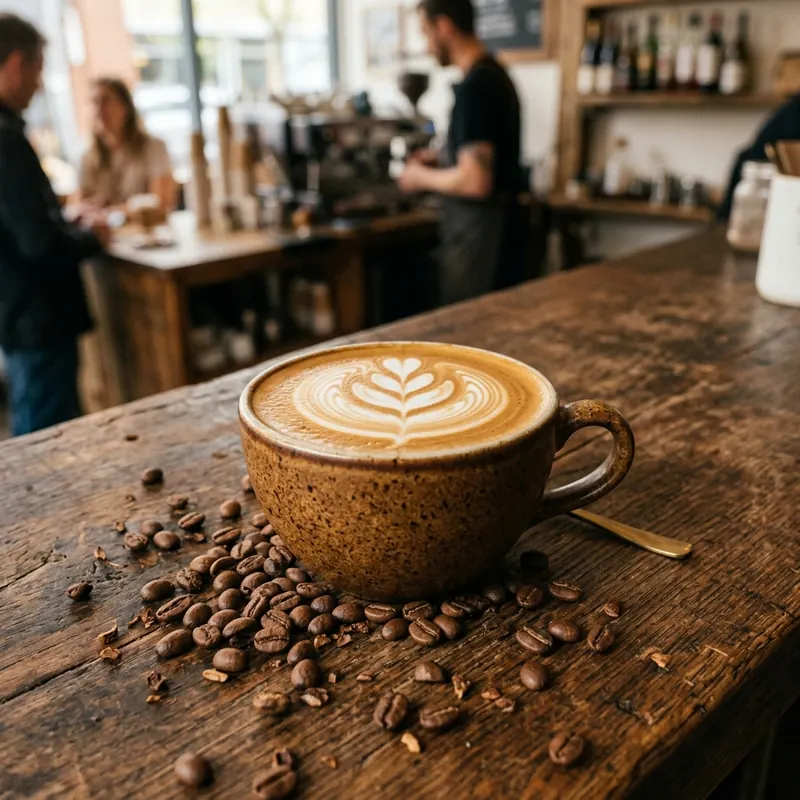
Freshly brewed latte with intricate rosette latte art in a speckled ceramic cup on a rustic wooden coffee bar with roasted coffee beans

Mondays don't have to feel like a grind. ☕ Every cup of our Single-Origin Ethiopian roast starts with small batches roasted in-house every Tuesday morning. Delicate notes of jasmine, bergamot, and raw honey to get your week moving right. Grab yours at our downtown espresso bar or order whole beans online — link in bio!

#SpecialtyCoffee#CoffeeRoaster#SingleOrigin#CoffeeCulture#LocalCoffeeShop
Generated with BlinkPost AI Ready to publish
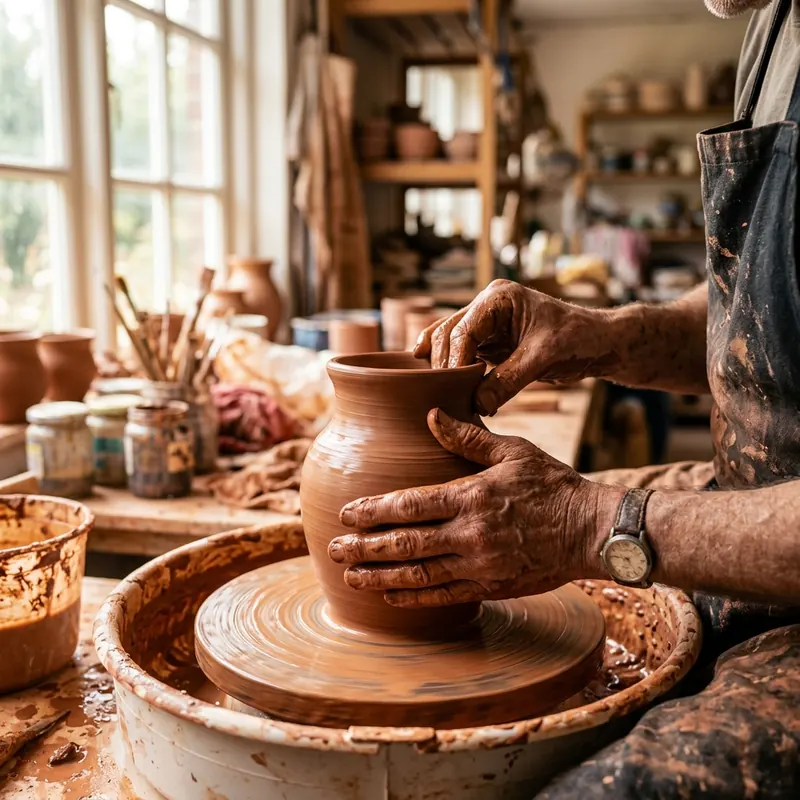
Artisan Ceramics StudioInstagram Feed

Prompt: “Handmade ceramic stoneware mugs restock in sunlit pottery studio”

Artisan potter hands shaping a terracotta clay vase on a spinning pottery wheel in a sunlit craft workshop

Straight from the kiln! 🔥 Our earth-toned stoneware mugs and vases are finally back on the shelves. Each piece is thrown by hand on the wheel, coated in our custom non-toxic mineral glaze, and fired twice for everyday durability. Which glaze is calling your name this week: Sand Dune or Moss Green?

#HandmadeCeramics#PotteryStudio#ArtisanCraft#ShopSmall#StonewareMug
Generated with BlinkPost AI Ready to publish
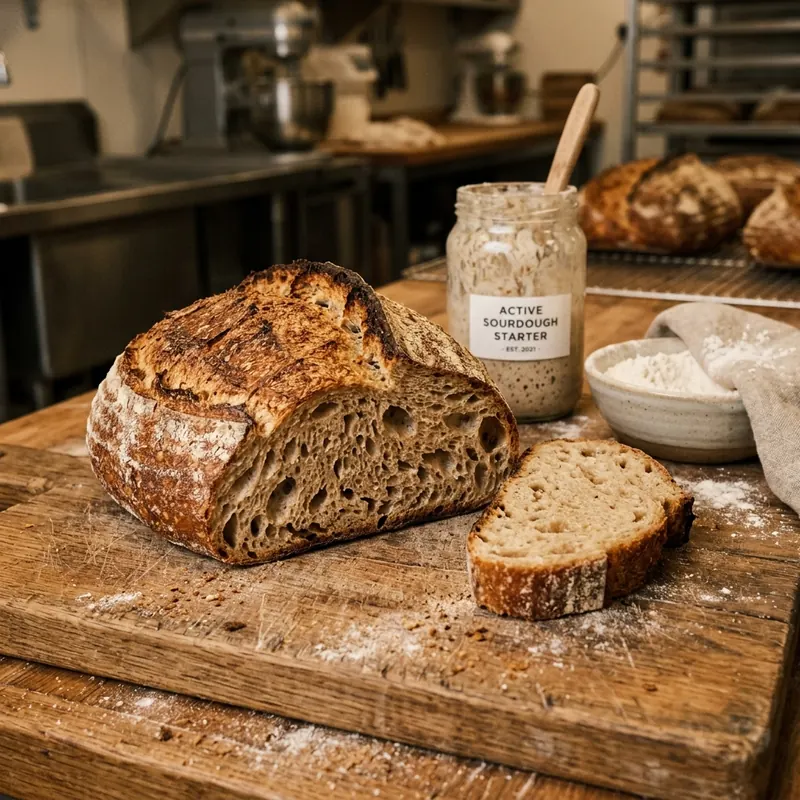
Neighborhood BakeryInstagram Story / Feed

Prompt: “Artisan sourdough bread freshly baked morning loaf”

Freshly baked artisan sourdough loaf sliced open on a rustic wooden board showing open crumb structure and starter jar

48 hours of cold fermentation, wild yeast starter, and unbleached organic flour. 🥖 That's the entire recipe behind our signature Country Sourdough — with a blistered, crackling crust and an airy, cloud-soft crumb. Hot out of the deck oven every morning at 7:30 AM. Stop by before the morning batch sells out!

#SourdoughBread#ArtisanBakery#RealBread#FreshBaked#BakersOfInstagram
Generated with BlinkPost AI Ready to publish

How it works

  1. 1

    Say what it's about

    "New spring menu." "Client moved into their first home." A short line is enough.

  2. 2

    Pick a tone and style

    Six tones, from professional to humorous, and styles like storytelling, a list, or a question.

  3. 3

    Edit the draft

    Change any line, swap in your own photo, or regenerate. Nothing posts until you say so.

  4. 4

    Schedule or publish

    Pick a date on the calendar or publish now to your connected Instagram Business account.

What does the Instagram post generator make?

A complete post: the caption and the image together, from the same one-line description. Most tools give you a design you still have to write for, or copy you still have to find a picture for.

Each post includes an opening hook, the caption, 5–10 hashtags, keywords, and an AI image. Prefer a real photo of your work? Use your own image instead, or add several images to one post to share it as a carousel.

What makes an Instagram caption work?

Front-load the point. Instagram shows only the first 125 characters of a caption before a reader has to tap “more”, so the hook, the offer, or the question belongs before that cut. BlinkPost writes the opening line to do that job.

Use the words people search for. Instagram's own guidance is to put keywords and hashtags in the caption, because caption text is matched against search. A caption that says “sourdough” gets found by someone searching sourdough; “our latest bake” doesn't.

Does it know what my business does?

Yes, if you tell it once. During setup, add your website and BlinkPost fills in your business name and industry, so the first draft sounds like a bakery or a roofer rather than a generic brand. No website? Answer a few quick questions instead.

Can I schedule the post to Instagram?

Yes. Connect an Instagram Business account, then publish now or pick a date in the content calendar. Instagram needs at least one image per post, and BlinkPost creates one for you. Likes, comments, reach, and impressions sync back every hour.

Instagram posts small businesses make with BlinkPost

  • A finished project or before-and-after
  • A weekend offer or seasonal promotion
  • A new product, menu item, or service
  • A quick tip your customers can use today
  • Behind the scenes with your team
  • An event, opening, or announcement

Frequently asked questions

Is this Instagram post generator free?

Yes. The Free plan includes 2 AI-generated posts a month, each with a caption, hashtags, and an image, and you can connect up to 2 social accounts. No credit card is required. Pro is $19.99 a month for 30 posts.

Does it create the image or just the caption?

Both. Every post comes with an AI-generated image: square for Instagram feed posts and vertical for stories. You can also use your own photos instead.

Can BlinkPost post to Instagram for me?

Yes, if you connect an Instagram Business account. You can publish immediately or schedule the post for a specific date and time, and BlinkPost publishes it then.

Can I edit the caption before it goes live?

Yes. Every post is a draft until you publish or schedule it. You can rewrite the caption, change the hashtags, or swap the image.

Does it make Instagram Reels?

No. BlinkPost creates images and captions, not videos.

Your next post, written, designed, and scheduled

Create a free account and generate your first post with its image.

Start free

No credit card required.